Business proposal generator
Draft client-facing proposals with problem framing, scope, deliverables, timeline, assumptions, and next steps.
AI business document generator
Turn your notes into a structured proposal, SOP, plan, or brief. Review the draft, then export an editable DOCX for Word or your team.
Paid drafts: 1–3 Document Studio credits. Concise 1 · Standard 2 · Detailed 3. Packs start at $9 for 8 credits.
Use your member account and Document Studio credits. Review facts, prices, dates, legal wording, and client commitments before sharing.
Document workflow
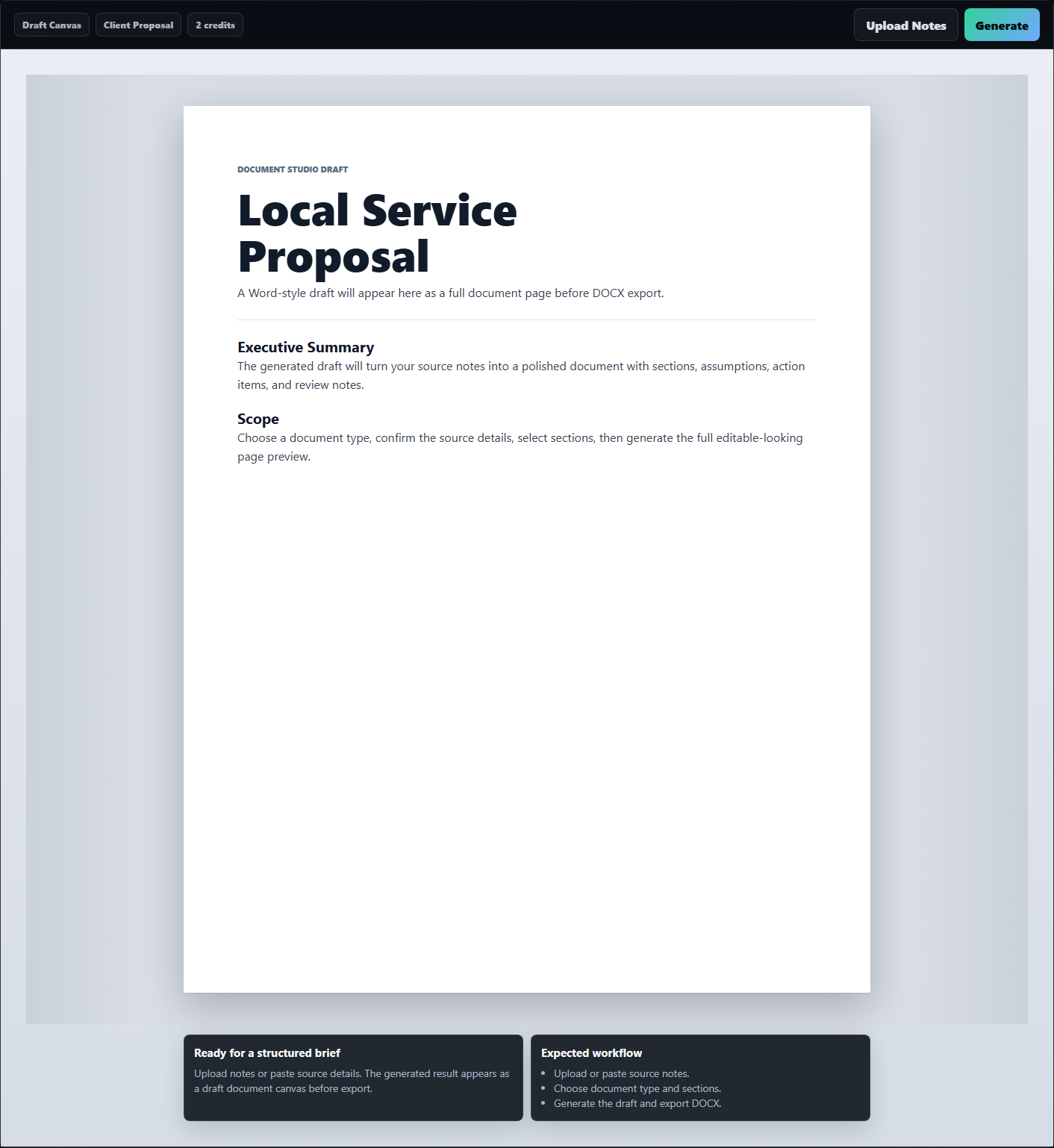
Document Studio is built for practical business drafts, not blank-page writing prompts. Start with a document type, paste or upload source context, set tone and length, and generate a structured page with review notes below the draft.
Document types
Each type starts with a useful section structure so the generator can produce a document that reads like the intended deliverable.
Use concise drafts for quick one-pagers, standard drafts for everyday handoffs, and detailed drafts for fuller plans or proposal packages.
Draft client-facing proposals with problem framing, scope, deliverables, timeline, assumptions, and next steps.
Create standard operating procedures with purpose, roles, inputs, process steps, controls, and owner handoff.
Build structured planning drafts with market notes, positioning, execution milestones, risks, and decision points.
Condense source context into a short decision memo, status update, initiative summary, or stakeholder-ready overview.
Convert campaign context into objectives, audience notes, message pillars, deliverables, constraints, and review criteria.
Turn experience notes into a clean business bio, consultant profile, capability summary, or service positioning draft.
Studio process
The workflow keeps document choices organized in a compact command center, then leaves the page area focused on the generated document.
Review extracted source details before spending credits. The Studio shows the selected length and exact 1–3-credit cost before generation begins.
Start with proposal, SOP, plan, one-pager, creative brief, or profile so the section outline matches the task.
Paste notes or upload a supported source file, then review the extracted details before using document credits.
Choose concise, standard, or detailed output and adjust the style for internal, client-facing, or executive review.
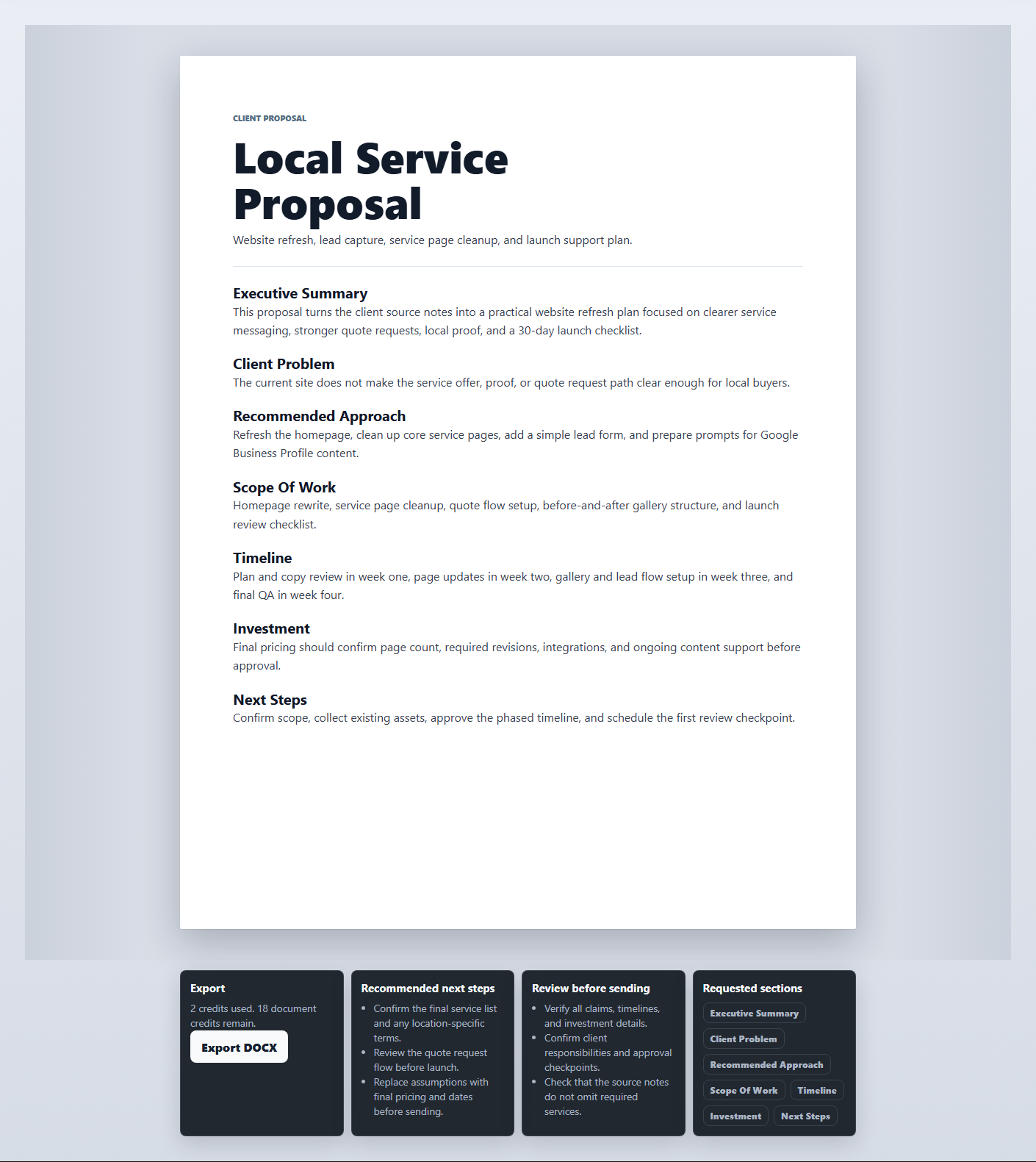
Check the browser preview, then export the document as a DOCX file for final editing in Word or another compatible editor.
DOCX output
The Studio gives you a structured starting point. You should still review client names, numbers, claims, dates, pricing, legal language, and any industry-specific statements before sending the final document.
Example workflows
Document Studio works best when the source context is specific: audience, goal, offer, constraints, timeline, and facts that must not change.
Use these examples as a quick input checklist before generating a paid draft.
| Source context | Generator mode | Best output | Review before sending |
|---|---|---|---|
| Client goals, pain points, scope notes, budget range, delivery timeline | Proposal | Client proposal draft with deliverables and next steps | Pricing, commitments, dates, dependencies, legal claims |
| Current process, owner roles, inputs, exceptions, quality checks | SOP | Standard operating procedure with steps and control points | Safety, compliance, approvals, system names, owner responsibilities |
| Business idea, market notes, customer segment, revenue model, risks | Business plan | Structured plan draft with milestones and assumptions | Financial assumptions, market claims, dates, resource requirements |
| Initiative summary, stakeholder concern, recommendation, desired decision | One-pager | Executive-ready brief for review or meeting prep | Decision framing, metrics, ownership, next action |
Related tools and guides
Open the Studio when you are ready to generate, use the guide when you want a walkthrough, and use the PDF and Word pages when source files need cleanup first.
Open the generator for proposals, SOPs, plans, briefs, profiles, and DOCX exports.
GuideSee the annotated compact command center, source fields, credits, sections dropdown, review cards, and export flow.
File toolConvert source documents when you need editable text before generating or revising a draft.
ArticleLearn when conversion works well and when formatting cleanup still needs manual judgment.
TutorialWalk through the related conversion workflow before moving content into a generated business document.
HubBrowse the document, creator, and productivity tools that can support the same business workflow.
FAQ
It can generate proposals, SOPs, business plans, one-pagers, creative briefs, professional profiles, and other structured business document drafts.
Yes. After generating and reviewing the draft, use DOCX export when you want to finish the document in Word or another compatible editor.
Yes. The studio can work from typed source notes or uploaded TXT, Markdown, DOCX, and PDF files.
A concise document costs 1 Document Studio credit, standard costs 2 credits, and detailed costs 3 credits. The selected length and exact cost are shown before generation.
No. Document generation is paid only and uses its own Document Studio credit wallet. It is separate from the 3 shared weekly free uses on Free Member Tools Review.
Yes. Unused subscription document credits roll over. Document Studio credits remain separate from other tool wallets.
A failed generation restores the Document Studio credits used for that attempt.
Yes. Review names, numbers, dates, legal claims, pricing, assumptions, and client-specific language before sending or publishing the final version.
Open the Studio, add your source notes, choose the document type, and generate a DOCX-ready business draft.