A product photo usually fails for one of two reasons: the lighting feels generic, or the prompt is so vague that the model fills in details you never asked for. If you want better results from ai image prompt examples for product photos, the fix is not writing longer prompts. It is writing clearer ones.
For ecommerce teams, solo sellers, and marketers moving fast, a good prompt does three jobs at once. It tells the model what the product is, how it should be photographed, and what absolutely should not change. That last part matters more than most people expect. If your packaging color shifts, your cap shape changes, or the label turns into nonsense text, the image may look polished but still be unusable.
This is why product prompting works best when you think like a photographer first and a prompt writer second. Start with the product, define the scene, set the camera angle, and state the finish you want. Then preview the result and adjust one variable at a time.
One product concept, three real commercial image workflows
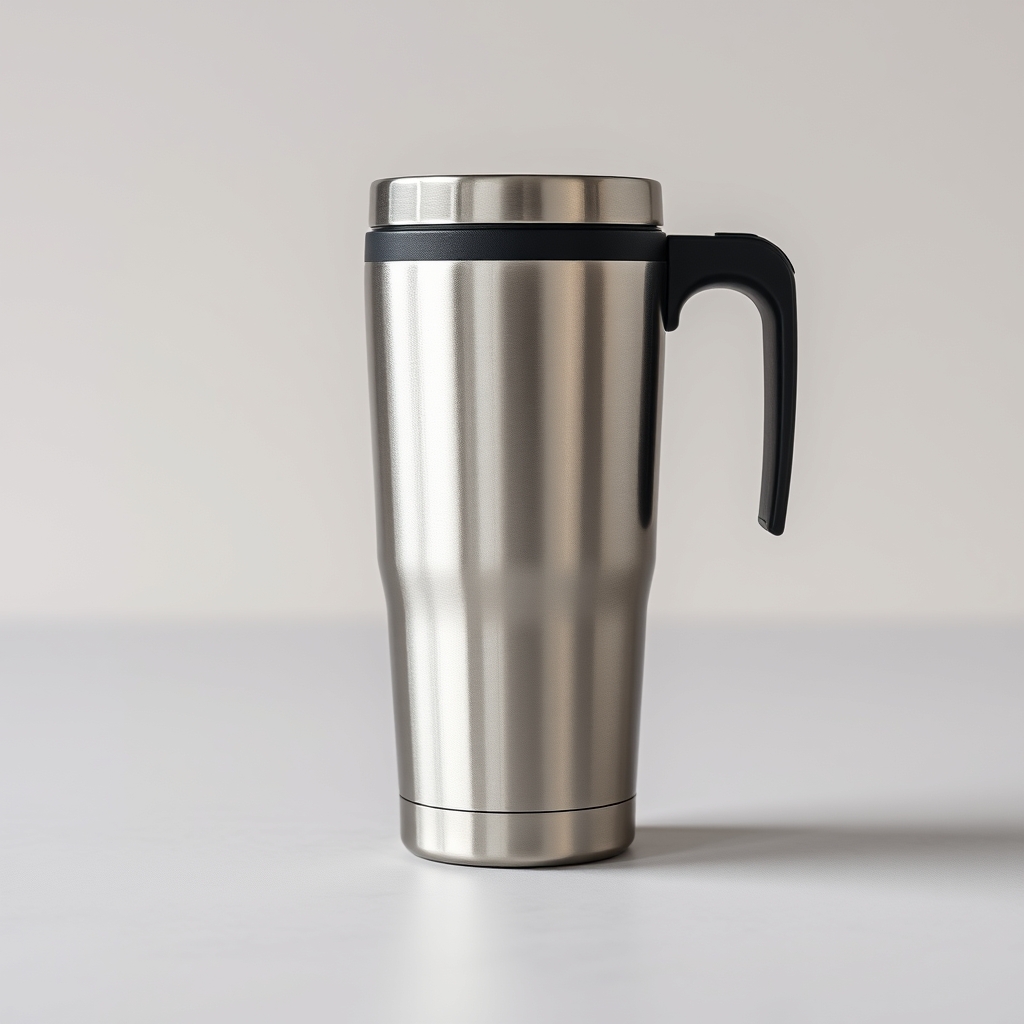
I tested the current AI Studio V2 Pro with a plain stainless-steel travel tumbler concept to see how the tool handles three jobs people actually need: a reference-based ecommerce image, a lifestyle product photo, and a wide brand hero. These are real outputs from the live tool on October 2, 2026—not mockups or hand-built before-and-after art.
1. Reference edit: turn a plain source into a cleaner ecommerce image
Use Reference edit when keeping the source product visually recognizable matters more than inventing a new campaign scene.

2. Product shot: build a 4:5 lifestyle brand photo
Use Product shot when you want a new campaign scene rather than strict reference preservation. This is useful for social feeds, brand storytelling, launch concepts, and lifestyle product photography.

3. Brand hero: make a wide campaign visual with copy-safe space
Use Brand hero when the image needs to work with a headline, CTA, or landing-page layout. Composition matters as much as the product itself.

How to write AI image prompt examples for product photos that hold up
The most reliable structure is simple: product, setting, lighting, angle, style, output goal. You do not need a paragraph of cinematic language. You need enough direction that the model stops guessing.
A useful base formula looks like this: clean studio product photo of [product], centered on [surface or background], lit with [lighting style], shot at [camera angle], realistic texture, sharp edges, commercial ecommerce style, no extra objects, no distorted packaging, no unreadable label text.
That formula gives you a controllable starting point. From there, you can build toward marketplace images, lifestyle scenes, hero banners, or ad concepts. If you are using a browser-based generator, this is where a prompt-first workflow helps. Generate, preview, then tighten the prompt based on what actually changed. If the scene is right but the product drifts, reduce the styling language and restate the product details more clearly.
23 prompt examples you can actually use
These examples are written to be copied, then edited for your product.
Clean white background ecommerce shot
Photorealistic product photo of a matte black water bottle on a pure white background, soft studio lighting, centered composition, front-facing angle, realistic reflections, sharp edges, ecommerce listing style, no extra props, no brand distortion, no text errors.
Soft shadow catalog image
Minimal product photo of a ceramic candle jar on white seamless paper, soft overhead lighting, subtle natural shadow under product, straight-on shot, premium catalog look, realistic label placement, clean edges, no additional objects.
Glossy beauty product close-up
Macro-style product photo of a glass skincare serum bottle, pale neutral background, bright diffused studio lighting, close crop, high-detail glass reflections, luxury beauty campaign look, realistic liquid inside bottle, no warped cap, no incorrect label text.
Beverage can with condensation
Commercial product photo of a sparkling drink can, upright on cool gray surface, directional lighting from left, realistic water droplets, crisp metallic texture, front three-quarter angle, ad-ready beverage photography, no extra cans, no label warping.
Floating product hero image
Hero banner product image of wireless earbuds case floating above a soft gradient background, subtle shadow below, clean rim lighting, centered composition, modern tech advertising style, realistic materials, no background clutter, no shape distortion.
Natural skincare lifestyle scene
Lifestyle product photo of a facial moisturizer jar on a stone bathroom counter, soft morning window light, folded towel in background, shallow depth of field, realistic spa aesthetic, product label facing camera, no extra packaging changes.
Coffee bag on wood surface
Realistic product photo of a kraft coffee bag standing on dark walnut table, warm side lighting, slight steam from mug in background, artisanal brand feel, front-facing product emphasis, sharp package edges, no added text, no bag shape changes.
Jewelry on luxury backdrop
Close-up product image of a gold necklace on deep beige textured surface, soft diffused light, gentle highlights, premium editorial style, realistic metal detail, elegant composition, no extra jewelry pieces, no distorted chain shape.
Shoe product shot with depth
Commercial photo of white running shoes on light gray studio floor, side angle, balanced shadow, clean fitness brand style, realistic fabric texture, crisp sole detail, no extra shoes, no warped laces.
Transparent bottle with backlight
Photoreal product image of a clear hand soap bottle, subtle backlighting to show liquid transparency, white bathroom tile background, clean modern composition, soft reflections, label facing forward, no bottle deformation.
Food jar with rustic styling
Product photo of a jam jar on linen cloth with fresh berries nearby, natural side light, farmhouse kitchen mood, product remains center focus, realistic glass and fruit textures, readable label area, no extra jars.
Supplement bottle for Amazon-style listing
Clean supplement bottle product photo on white background, straight-on front view, even studio lighting, true-to-shape packaging, ecommerce marketplace style, sharp cap detail, no props, no perspective distortion, no fake text.
Phone case flat lay
Top-down flat lay product photo of a silicone phone case on pastel background, soft shadow, minimal styling, modern ecommerce presentation, realistic material texture, clean edges, no extra accessories.
Watch on dark premium set
Luxury product photo of a stainless steel watch on dark charcoal surface, focused spotlight, soft reflective highlights, premium advertising style, close-up detail on face and band, realistic metal finish, no extra watches.
Candle with seasonal scene
Cozy fall product image of an amber candle on wooden shelf, warm ambient lighting, blurred autumn decor in background, product label visible, realistic wax and glass texture, seasonal campaign look, no packaging changes.
T-shirt folded retail shot
Retail-ready product photo of a folded navy t-shirt on clean beige backdrop, soft overhead lighting, visible fabric texture, centered composition, simple apparel catalog style, no extra garments, no color shift.
Backpack outdoors lifestyle image
Lifestyle product photo of a travel backpack resting on a bench in an urban outdoor setting, soft natural daylight, realistic city blur in background, product remains sharp and centered, commercial brand photography look, no strap distortion.
Perfume bottle with dramatic light
High-end product image of a perfume bottle on glossy black surface, dramatic side lighting, mirrored reflection, luxury campaign style, crystal-clear glass texture, centered hero framing, no extra objects, no altered bottle shape.
Kitchen tool in use scene
Commercial lifestyle image of a stainless steel chef knife slicing herbs on a clean cutting board, bright kitchen lighting, realistic hand position, product remains main focus, premium cooking brand style, no unsafe or messy scene.
Soap bar handmade brand look
Product photo of handmade soap bars stacked on light stone surface, soft natural light, earthy shadows, artisanal small-business aesthetic, realistic texture and edges, no extra packaging, no melted shapes.
Baby product clean pastel scene
Gentle product image of baby lotion bottle on pale pastel background, bright soft lighting, clean minimal composition, trustworthy retail style, realistic bottle proportions, no extra props, no text distortion.
Tech accessory on desk setup
Product photo of a wireless mouse on a clean modern desk, soft daylight from window, muted office background blur, realistic matte texture, simple brand ad style, product centered, no extra devices competing for attention.
Before-and-after concept prompt
Split-scene commercial concept showing the same sneaker before cleaning and after cleaning, balanced studio lighting, consistent angle on both sides, realistic material detail, clear comparison layout, no product shape change, no fake brand text.
What makes a product prompt fail
Most bad outputs come from mixed instructions. You ask for a clean packshot, then add cinematic bokeh, dramatic styling, floating elements, and lifestyle props in the same sentence. The model picks and chooses, and the product loses consistency.
Another common problem is under-specifying the product itself. If the cap is brushed silver, say brushed silver. If the bottle is frosted glass, say frosted glass. If the label must face forward, say that too. AI can create a good-looking object very quickly, but not always your object.
Negative instructions help, but they should stay practical. Saying no distortion, no extra items, no warped packaging, no duplicate products, and no unreadable label text is usually enough. A long list of negatives can make prompts bloated without improving output.
When to use studio prompts vs lifestyle prompts
Studio prompts are better when you need consistency, clean cutouts, marketplace-ready images, or side-by-side product comparisons. They are easier to control and easier to reuse across a catalog.
Lifestyle prompts work better when you need context, emotion, or ad creative. A coffee bag on a kitchen counter tells a different story than a coffee bag on white. The trade-off is control. Once you add a scene, you increase the chances of background clutter, odd hands, or product drift.
If you are building campaign visuals, it helps to start with the clean version first. Get a product image that looks right, then expand into environment-based prompts. That staged approach usually saves time because you can see whether the product identity is stable before adding complexity.
A faster workflow for prompt testing
The practical way to do this is simple. Start with one base prompt, generate a preview, and check the image for three things: product accuracy, lighting quality, and scene clutter. If the product changed, fix the product description first. If the product is right but the mood is off, change only the lighting or background.
This is where MikeSullyTools fits the real-world workflow well. For commercial product photos, brand images, and campaign concepts, AI Studio V2 Pro adds product, brand, social, frame, camera, lighting, palette, detail, negative-prompt, and reference-edit controls around the prompt. If you want more direction before generating, the prompt example library is a useful second stop because it shows how small wording changes affect commercial-style outputs.
The bigger point is not to chase perfect prompts on the first try. Product imaging is usually a preview-and-adjust process. One clean checkpoint beats ten dramatic prompt rewrites.
Small prompt edits that usually improve results
If your image looks flat, switch soft lighting to directional softbox lighting or add subtle rim lighting. If the product feels tiny in the frame, ask for centered close-up composition. If materials look fake, call out the surface qualities such as matte, brushed metal, frosted glass, glossy plastic, or natural cotton.
If labels keep breaking, reduce the amount of text-dependent detail and ask for a clean label area instead of exact wording. If color accuracy matters, specify the color in plain language and repeat it once where needed. That kind of restraint tends to work better than stacking adjectives.
Strong product prompts are less about sounding creative and more about removing ambiguity. Write what the product is, where it sits, how it is lit, and what must stay intact. Then preview, adjust, and export the version that gets you closer to usable. That is usually the fastest path from idea to product photo people can actually publish.